AI
Curriculum
Technology
Can AI Replace a Piano Teacher? Insights Into Technology and Music Education
July 3, 2026

The rapid development of artificial intelligence has led many to wonder whether AI could replace traditional piano teachers. While technology is advancing at an impressive pace, current research and classroom experiences suggest that AI is best viewed as a tool to enhance music education, not as a replacement for human instruction. AI can support both students and teachers, making practice more efficient, engaging, and tailored to individual learning needs.
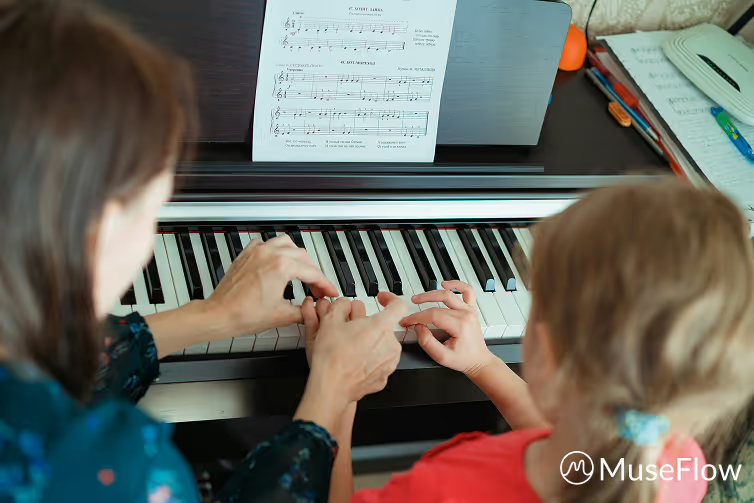
Traditional piano lessons often involve significant repetition: practicing scales, correcting posture, and reinforcing basic techniques. While these exercises are essential for skill development, they can sometimes dominate lesson time, leaving less room for creative exploration and musical expression. For students, this may feel repetitive or tedious, and for teachers, it can limit the opportunity to focus on the expressive, interpretive aspects of music.
Research on instructional design indicates that balancing skill acquisition with creative engagement is key to sustained learning. Technology-assisted practice can help achieve this balance by handling routine technical exercises, allowing teachers to dedicate more time to mentoring, interpretation, and musical storytelling.

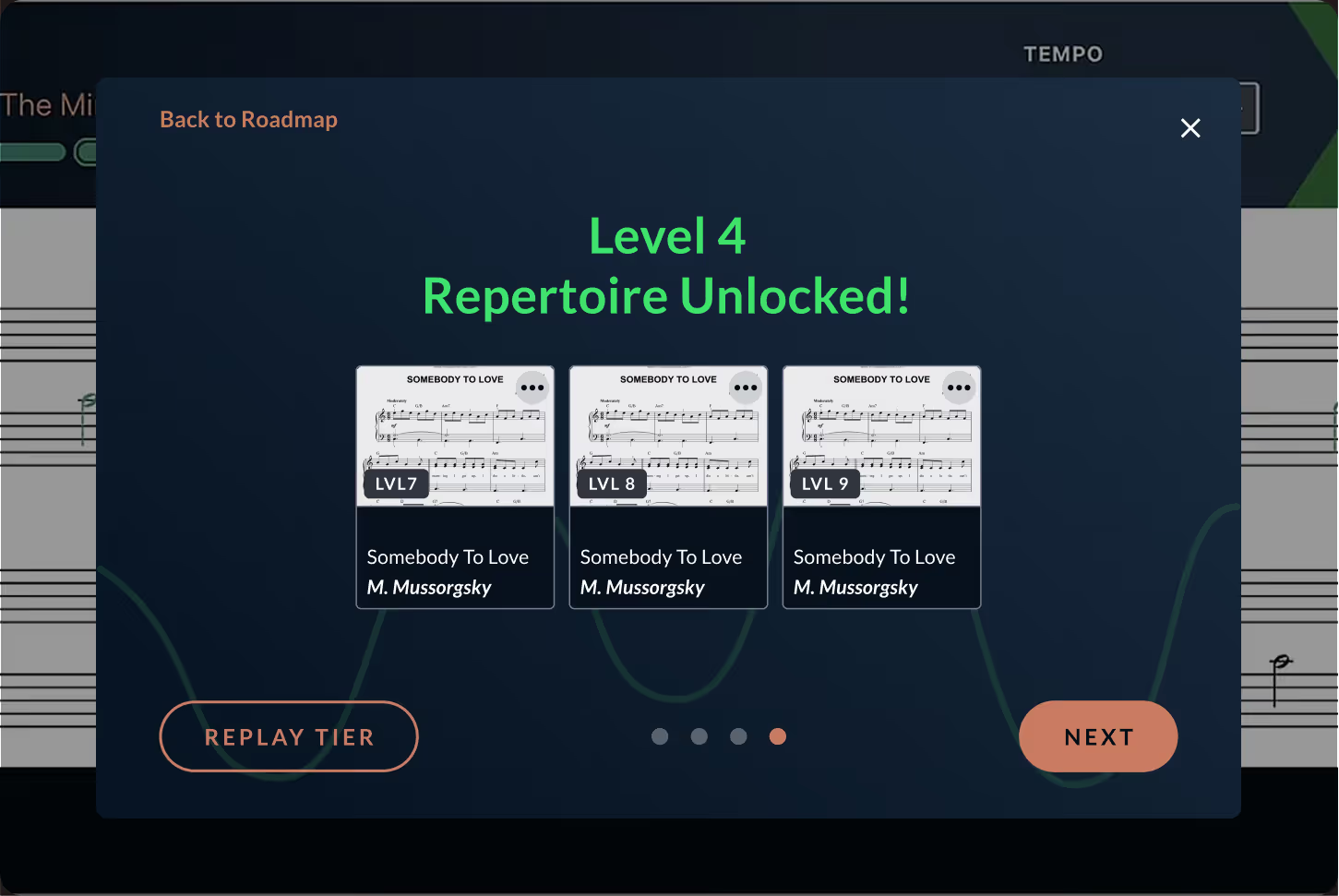
AI-driven platforms, such as MuseFlow, are designed to complement traditional teaching rather than replace it. By providing adaptive practice exercises and real-time feedback, these tools can relieve teachers from repetitive correction work. For example:
In this way, AI serves as a co-pilot for music instruction, providing structure, feedback, and engagement while leaving the human teacher to focus on mentorship, creativity, and nuanced musical interpretation.
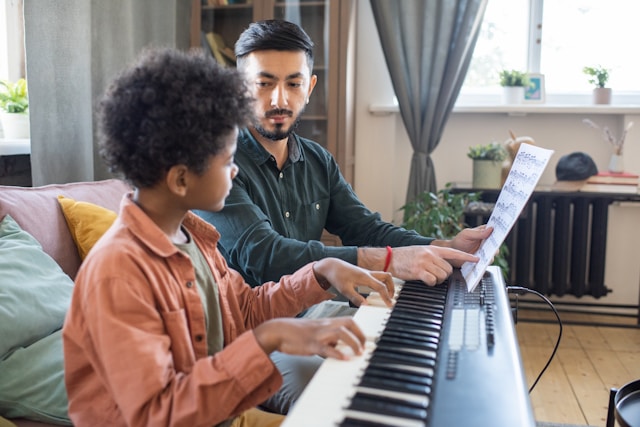
When integrated thoughtfully into a curriculum, AI can transform the role of the piano teacher. Lessons shift from repetitive technique drills to coaching sessions that emphasize musicality and expression. Teachers can explore music theory, improvisation, and repertoire development, guiding students in ways that AI alone cannot replicate.
Evidence from educational research supports this approach. For example, studies indicate that technology can increase learner engagement and attention during practice, particularly when tasks are structured, interactive, and immediately responsive. This aligns with observations from classrooms using AI-supported practice platforms, where students demonstrate higher motivation and focus.

AI’s primary role in piano education is supportive, not replacement-focused. It can:
However, human teachers remain essential for fostering creativity, expression, and emotional connection to music. The combination of AI-driven tools and expert guidance offers a hybrid approach that leverages technology’s efficiency while preserving the interpretive and social aspects of learning.
Can AI replace a piano teacher? The evidence suggests it cannot—and likely should not. Instead, AI can enhance music education by streamlining technical practice, providing adaptive feedback, and keeping students engaged. Teachers benefit by having more time to focus on interpretive instruction and mentoring, while students gain structured, responsive practice tools.
By combining the analytical power of AI with the mentorship and artistry of experienced educators, music education can evolve into a more effective, engaging, and personalized experience. In this context, technology and teachers are partners, not competitors, in shaping the next generation of skilled, confident pianists.

When exploring digital tools for learning piano, many learners encounter platforms like Piano Marvel. It is widely known for its structured exercises and extensive content library. At the same time, a growing number of learners look for Piano Marvel alternatives that align more closely with how adults actually practice, stay motivated, and develop long-term musical fluency. MuseFlow has emerged in this space by approaching piano learning from a different educational perspective.
Rather than positioning one platform as universally better, it is more useful to understand how their underlying learning models differ and which type of learner each approach supports best.
Piano Marvel follows a traditional, exercise-driven model rooted in repetition and structured drills. This approach works well for learners who enjoy methodical progression and clearly segmented practice tasks. MuseFlow, by contrast, is designed around continuous interaction, emphasizing real-time response, adaptive pacing, and sight reading development from the beginning.
Music education research has long shown that effective learning combines visual, auditory, and motor processes. Notes are not learned as isolated symbols, but as patterns that connect movement, sound, and spatial recognition. Modern learning platforms increasingly reflect this understanding by integrating feedback directly into the act of playing, rather than separating practice from evaluation.
One of the most significant differences between MuseFlow and exercise-focused platforms lies in how feedback is delivered. Traditional systems often require learners to complete an exercise before reviewing accuracy. While this can be effective, it places a cognitive burden on beginners who must play, remember mistakes, and self-evaluate simultaneously.
MuseFlow provides immediate visual feedback as notes are played, highlighting timing and pitch accuracy in real time. This approach aligns with findings from adult learning and motor-skill research, which suggest that timely correction helps prevent the reinforcement of incorrect habits and supports more efficient skill acquisition.
By reducing the delay between action and feedback, learners can focus entirely on playing with attention and consistency, rather than constantly questioning whether they are practicing correctly.
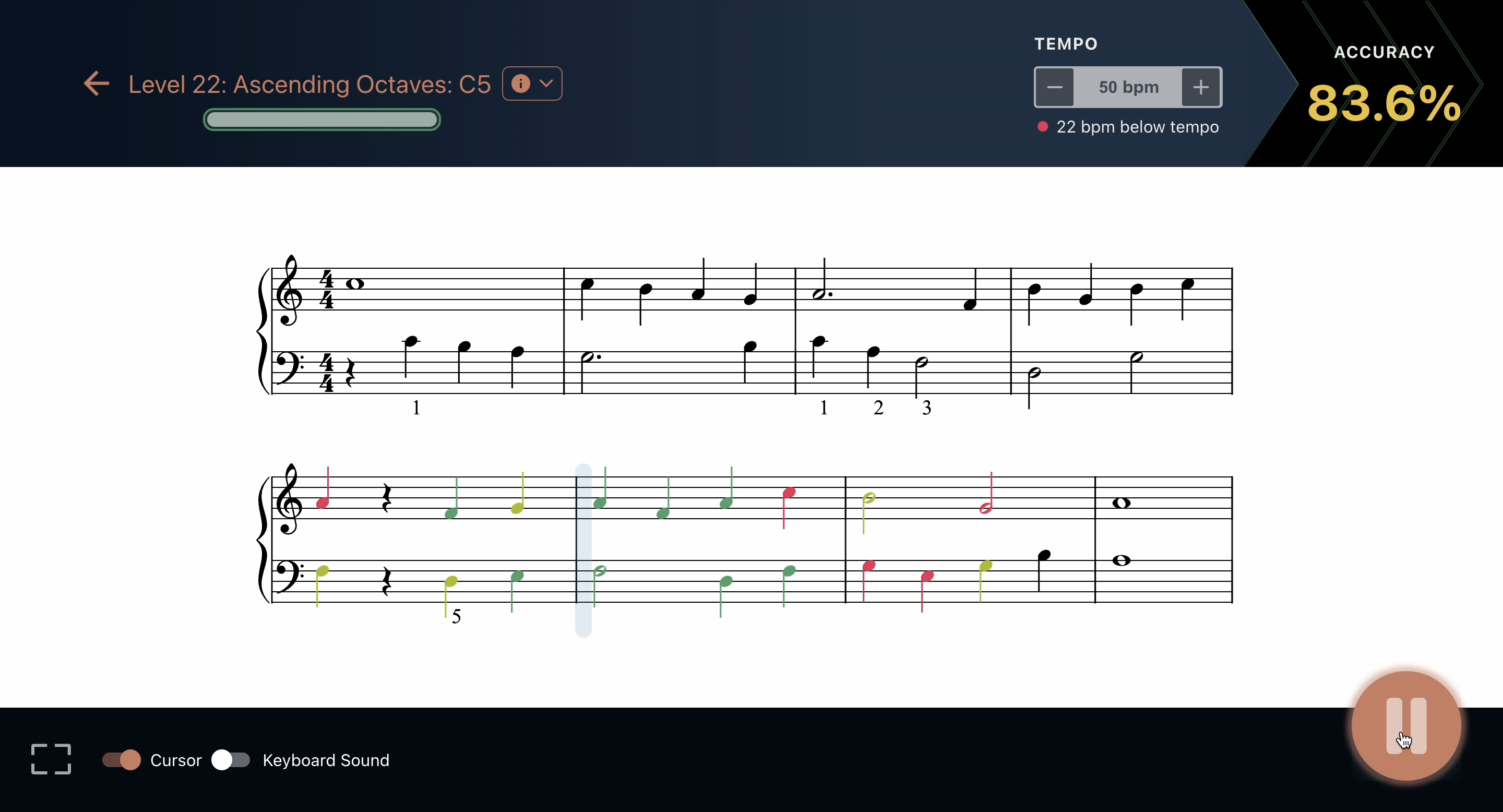
Sight reading is often treated as an advanced or secondary skill in many piano programs. MuseFlow takes a different position, treating sight reading as the foundation of musical independence. Educational studies in music pedagogy consistently associate strong sight reading ability with broader musical competence, faster repertoire learning, and greater long-term retention.
Instead of memorizing individual songs, learners are exposed to continuously varied material that encourages pattern recognition and fluent reading. This helps prevent over-reliance on muscle memory and supports transferable skills that apply across styles and difficulty levels.
For beginners, this approach can shorten the gap between early practice and meaningful musical progress, while intermediate learners often benefit from breaking plateaus caused by memorization-heavy routines.
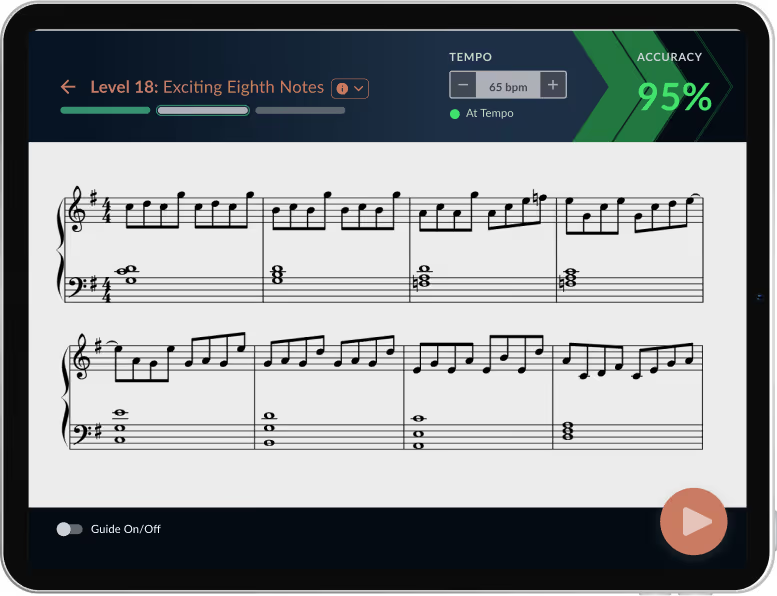
Some learning platforms rely heavily on points, scores, and rewards to maintain engagement. While these elements can be motivating in moderation, adult learners often respond better to visible progress and clear structure rather than novelty alone.
MuseFlow incorporates light gamified elements—such as progression markers and adaptive challenges—without turning practice into a distraction. This balance supports sustained focus while still providing enough feedback to reinforce consistency.
Psychological research on flow states suggests that learners remain most engaged when task difficulty closely matches skill level. By adjusting challenges dynamically, platforms can help learners stay motivated without frustration or boredom becoming barriers to regular practice.
.png)
Learners who prefer traditional, exercise-heavy practice and clearly segmented drills may find Piano Marvel well suited to their goals. Those seeking a more adaptive, feedback-driven experience often look for alternatives that emphasize efficiency, engagement, and skill transfer.
MuseFlow is designed for learners who want practice sessions to feel purposeful and time-effective, particularly adults balancing learning with other responsibilities. Rather than maximizing content volume, the focus is on making each interaction meaningful and aligned with how musical skills develop over time.
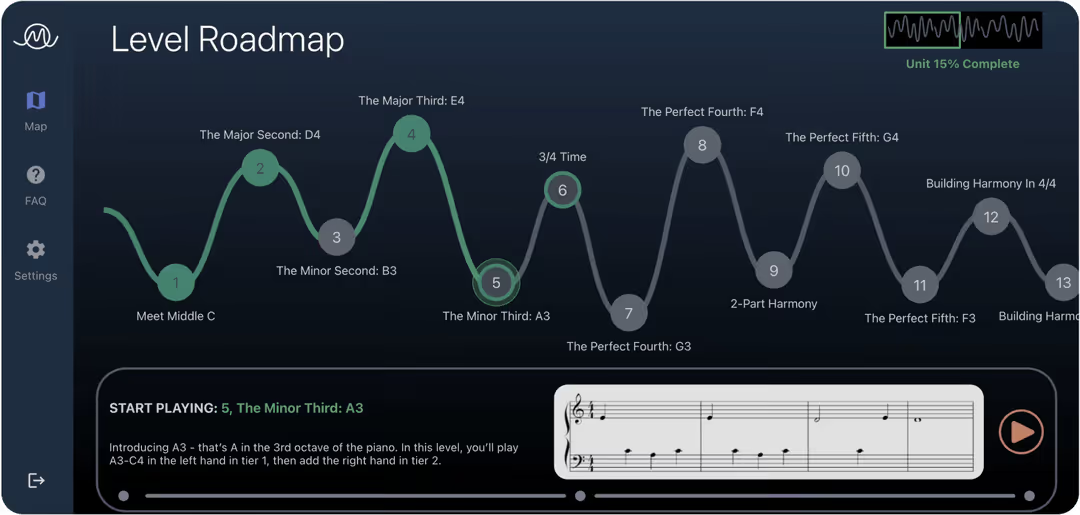
Digital piano education continues to evolve alongside advances in learning science and interactive technology. Platforms increasingly reflect a shift away from rigid, one-size-fits-all instruction toward personalized systems that respond to how individuals actually play.
As a Piano Marvel alternative, MuseFlow represents this broader movement toward adaptive learning, integrated feedback, and sight reading-centered instruction. For learners evaluating their options, understanding these pedagogical differences is often more valuable than comparing feature lists alone.
Choosing the right platform ultimately depends on learning style, goals, and preferred practice structure—but informed decisions are best made when the focus remains on educational value rather than marketing claims.
.avif)
The rise of artificial intelligence has sparked curiosity about its potential in music education. Many learners ask: Can AI help you learn piano faster? The idea is appealing — adaptive systems that respond to your skill level, provide instant feedback, and accelerate progress. However, not all AI-assisted tools are equally effective. Understanding what actually drives improvement can help you separate marketing claims from genuine learning strategies.
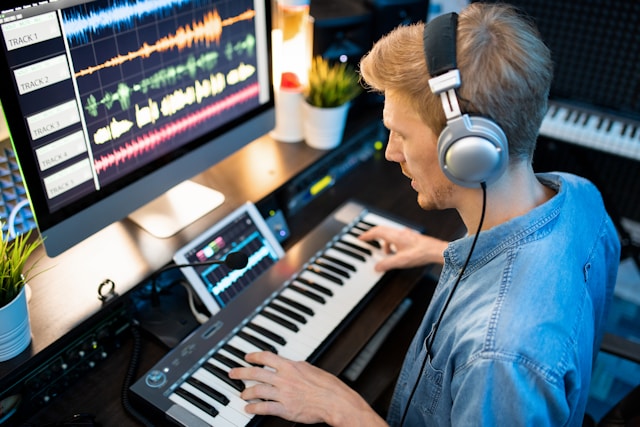
When people ask about AI in piano learning, they often refer to systems that:
Research on skill acquisition and adult learning consistently shows that consistent, structured practice combined with timely feedback leads to better outcomes than occasional, error-free practice alone. The same principles apply whether the system uses algorithms, AI, or traditional instruction methods.
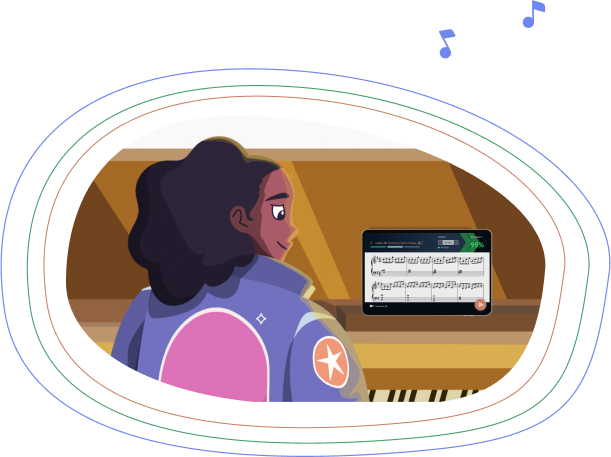
Many so-called AI piano apps simply track whether you hit the right notes. While useful, this approach primarily supports memorization rather than transferable musical skills. Effective learning requires sight reading fluency — the ability to interpret and perform new music quickly. According to music education research, sight reading proficiency is the strongest predictor of long term musical success.
Fixed song libraries or repetitive exercises can inadvertently reinforce dependence on the software rather than independent skill development. In contrast, tools that generate non-repeating exercises and adapt in real-time encourage learners to read, interpret, and play music more flexibly.
Regardless of AI involvement, several educational principles are consistently linked to faster skill acquisition:
MuseFlow offers an approach aligned with these principles. Its real-time feedback system provides color-coded notes for instant correction, and its adaptive exercises generate new music sequences continuously, reinforcing sight reading skills rather than memorization. Users progress through levels and challenges that match their individual skill, keeping them in the optimal learning zone.
While this is one example, the underlying takeaway is that AI is not a magic shortcut. Success depends on consistent engagement, adaptive challenges, immediate feedback, and meaningful progression.
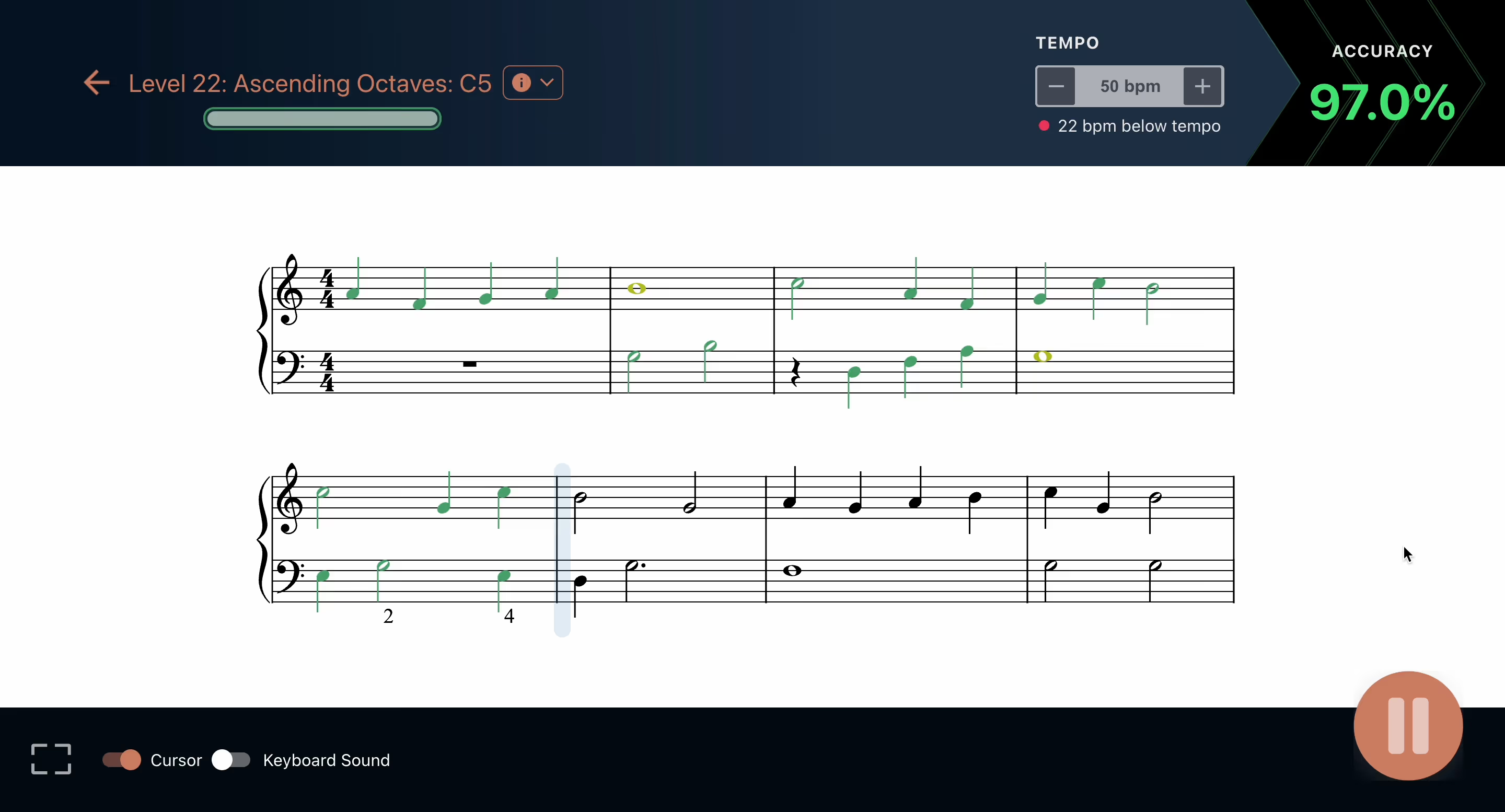
Ultimately, whether using AI, algorithms, or traditional methods, the goal is to develop transferable skills, maintain motivation, and reinforce consistent learning habits. Learners who focus on these core principles will see measurable progress, gain musical independence, and enjoy a more fulfilling piano practice experience.
Learning piano at home or in a studio has always presented challenges. While students benefit from one-on-one instruction, traditional teaching methods often limit how efficiently technical skills can be reinforced, leaving teachers spending significant time correcting repetitive mistakes. Recent advances in digital tools, including gamified piano learning platforms, offer a complementary approach that allows teachers to focus on artistry while students build strong technical foundations.
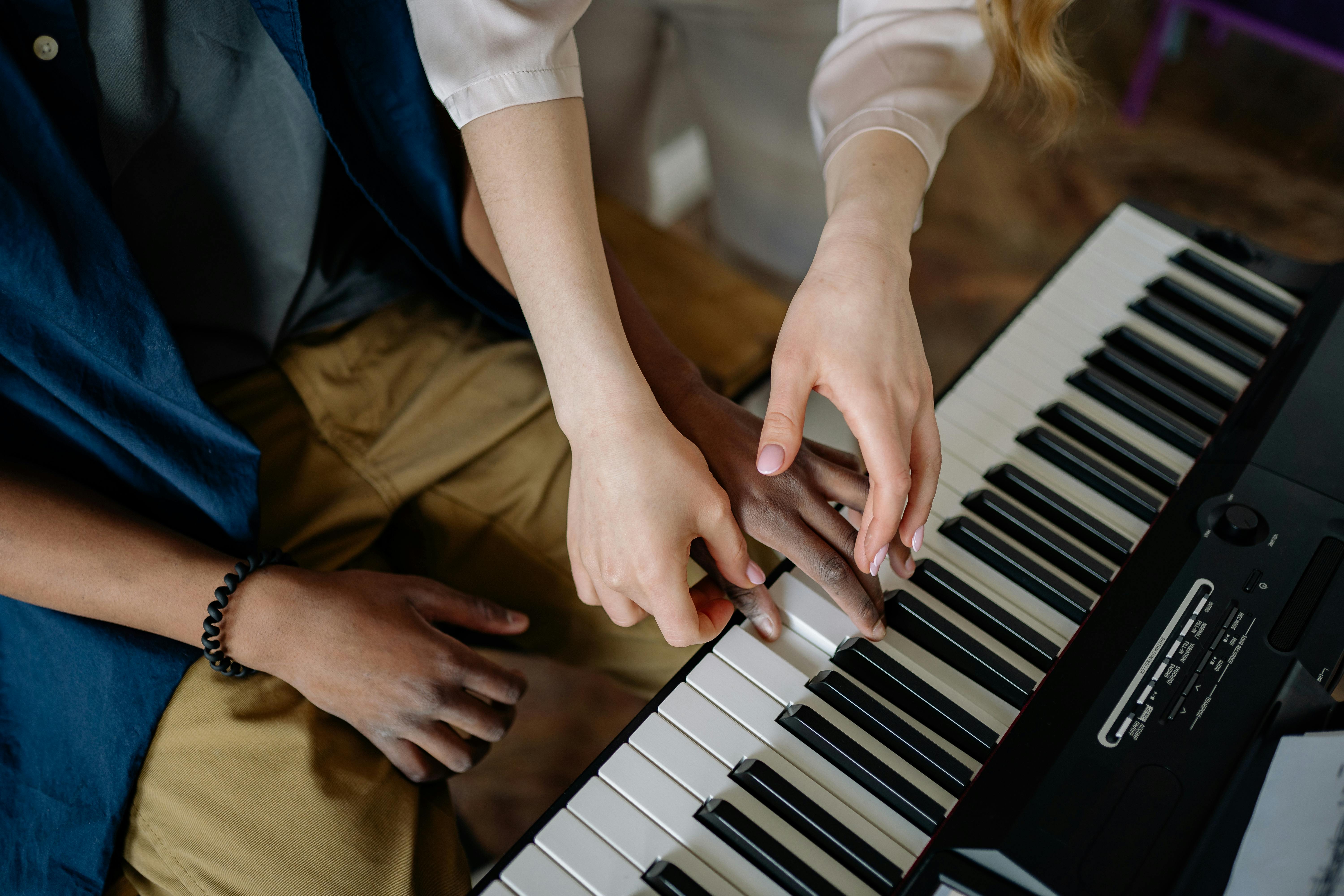
Even the most passionate piano teachers face structural obstacles in guiding students effectively:
Lesson time is often consumed by correcting note accuracy, rhythm, and finger positioning. While essential, these fundamentals can be practiced independently with structured exercises, freeing teachers to focus on interpretation and musical expression.
Weekly lessons may leave students practicing for days without guidance, allowing small errors to become habits. Delayed feedback can reduce motivation and slow progress, particularly for learners studying independently or remotely.
Every student learns differently—some thrive with repetition, others with variation. Traditional methods may struggle to accommodate these differences in real time, causing some students to feel rushed and others held back. Adaptive practice tools can help teachers personalize instruction while maintaining engagement.
Gamification in piano instruction is not intended to replace teachers. Instead, it provides consistent reinforcement of technical skills, allowing teachers to focus on areas that require human artistry: phrasing, dynamics, expression, and musical storytelling.
By integrating gamified practice alongside traditional instruction, students enter lessons with fundamental skills already reinforced. Beginners who want to improve note-reading quickly can also explore this guide to the easiest way to read piano notes for step‑by‑step strategies. For strategies on keeping piano practice engaging and avoiding boredom, see this guide on staying motivated while learning piano. Teachers can then prioritize mentorship, inspiration, and creative guidance, which fosters deeper engagement and more enjoyable learning experiences.
When applied thoughtfully, gamified piano lessons can change how lesson time is spent:
This structured support encourages students to enjoy practice and progress steadily while teachers spend their energy where it matters most.
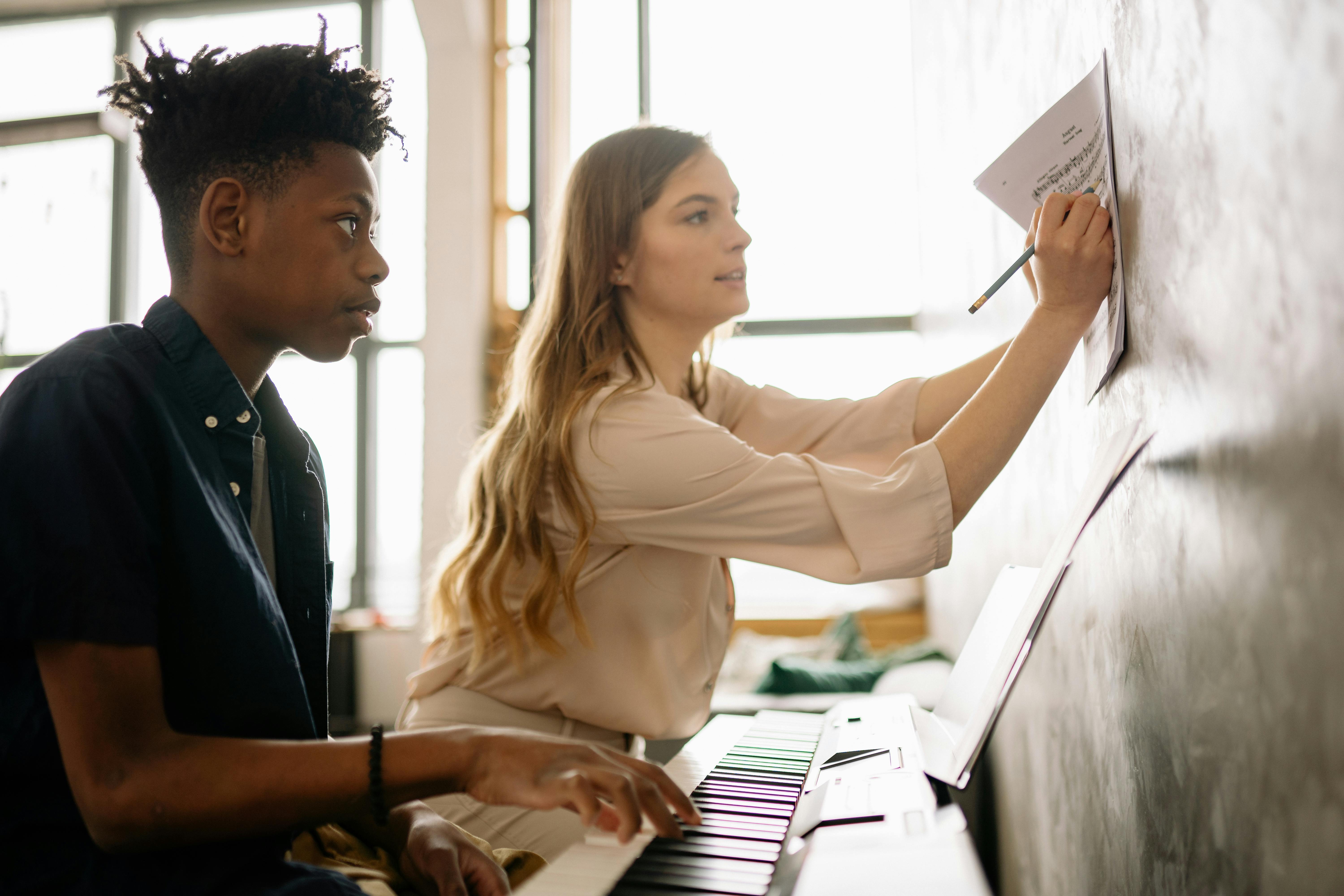
Studies in music education and learning psychology support the benefits of immediate feedback and adaptive practice. Research consistently shows that short, focused sessions with immediate corrective input improve skill acquisition, retention, and motivation in learners of all ages. While individual results vary, gamified learning tools help supplement traditional lessons and enhance sight reading development, ensuring foundational skills are reinforced efficiently.
One example of this approach in practice is platforms that dynamically adjust exercises to the student’s skill level, helping prevent stagnation while maintaining engagement.
Effective piano education relies on balance between technology and human instruction:
This partnership creates a harmonious learning environment, enhancing both efficiency and enjoyment.
Integrating gamified practice into piano instruction helps learners develop independence, improves sight reading skills, and reduces frustration. Teachers can guide students to express creativity rather than simply correct mechanical errors, promoting long-term engagement and musical growth.
By reinforcing technical skills through adaptive digital tools, students arrive at lessons prepared to explore artistry, and teachers can devote time to nurturing interpretation, phrasing, and expressive performance.
Gamified piano lessons are most effective when used to support, not replace, traditional instruction. They provide structured reinforcement of fundamental skills, allow for personalized pacing, and help students develop independence while keeping practice engaging. Teachers benefit by spending more time on mentorship and creative guidance, fostering both skill and passion in their students.
The future of piano education lies in this balanced approach: combining immediate, structured digital support with human expertise to create motivated, confident, and musically expressive learners.
Whether you’re an intermediate pianist looking to reach the next level or an advanced player aiming for perfection, refining your piano skills is a continuous and rewarding journey! With the right new tools and guidance, you can easily enhance your technique in 2026 with MuseFlow. It also helps you expand your repertoire, and deepen your musical understanding. Read below to find out how MuseFlow will help you refine your piano skills effectively.
Start using MuseFlow for free now!
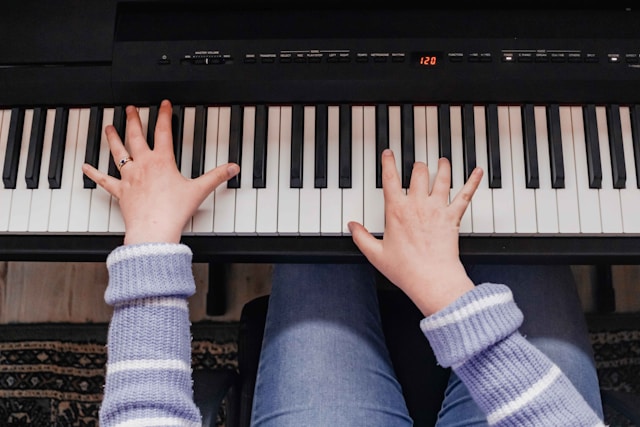
MuseFlow has the ability to create personalized practice plans tailored to your specific needs. The app uses advanced AI technology to assess your current skill level and identify areas for improvement. Based on this unique assessment, the best free piano app offers a customized practice schedule that focuses on really refining your technique and addressing any weaknesses.
Why it matters? Personalized practice plans really make sure that you spend your practice time efficiently. Instead of working on one generic exercise or song after the other (the old-school way), you’ll be focusing in on the areas that need the most attention, allowing for faster and more targeted improvement. This is the fastest way to learn at a higher pace.
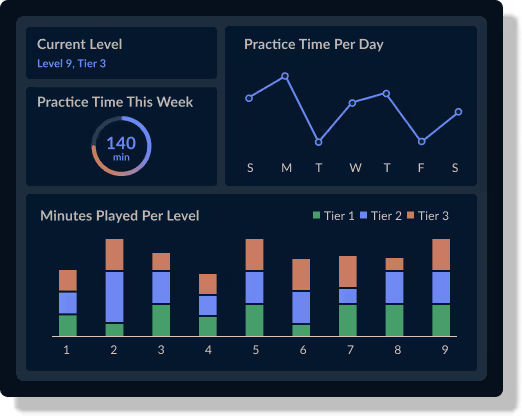
Refining your piano skills requires immediate & accurate feedback on your performance. MuseFlow provides real-time feedback as you play, helping you correct mistakes and perfect your technique on the spot. The app carefully listens to your playing and, with AI, analyzes your notes and timing, offering instant corrections and suggestions for improvement.. AI has the power to find errors and patterns in your playing that a human wouldn't be able to find on the spot.
Why it matters? Real-time feedback helps you develop good habits and avoid reinforcing mistakes. This instant guidance is crucial for refining your skills, ensuring that you’re practicing correctly and making the most of your practice sessions.
MuseFlow offers a wide range of advanced exercises & techniques designed to challenge and refine your piano skills. From complex scales and arpeggios to intricate finger exercises and advanced pieces, the app provides a comprehensive set of tools to help you push your limits and achieve new levels of proficiency.
Why it matters? Access to advanced exercises and techniques allows you to continually challenge yourself and prevent stagnation. By tackling more difficult material, you can expand your technical abilities and enhance your overall musicianship...if you're still asking yourself, how do I refine my piano skills? Then you've found the answer.

One of the key aspects of refining your piano skills is achieving a state of flow—where you are fully immersed and focused on your practice. MuseFlow is designed to help you reach this optimal learning state by providing just the right level of challenge. The app adapts to your progress, ensuring that each exercise is neither too easy nor too difficult, keeping you engaged and motivated.
Why it matters? Being in a flow state makes practice sessions more productive and enjoyable. When you’re fully engaged, you’re more likely to retain information and improve your skills. This goes for learning and refining any skill. MuseFlow’s ability to get you in this special state helps you get the most out of your practice time. You will love it! It will feel like time is just passing by without you noticing.

The best piano lessons app has an extensive music library which is another powerful tool for refining your piano skills. The app offers a large selection of pieces across various genres and at every difficulty level. This really allows you to explore new styles and expand your repertoire. Thanks to AI this is now possible and will help you have more fun while learning. Each piece is accompanied by detailed tutorials and practice tips to help you master it.
Why it matter? A diverse repertoire is essential for any pianist looking to refine their skills. By playing a wide range of music, you can develop versatility and adaptability, which are crucial for advanced musicianship. MuseFlow’s library ensures that you always have new and exciting pieces to learn.
Refining your piano skills is a continuous journey. It requires dedication, the right tools, and effective guidance! MuseFlow really stands out as the ideal companion for this special journey, offering personalized practice plans, real-time feedback, advanced exercises, and a supportive community. Whether you’re aiming to perfect your technique, expand your repertoire, or achieve new and better levels of playing and sight reading, MuseFlow provides the resources and support you need to succeed.
Start refining your piano skills with MuseFlow today and experience the difference that advanced technology and personalized learning can make. We promise you will love it!
If you're looking for the best piano learning app, you're in the right place. You've probably come across some apps such as Simply Piano and others. While every technology has some benefits, there is a new player in town that you have to check out. MuseFlow stands out as the best Simply Piano alternative, offering unique features and benefits that make it the superior choice for aspiring pianists. In this blog post, we'll explore why the California based tech company is the best Simply Piano competitor and how it will enhance your piano learning journey.
Start using MuseFlow for free now!
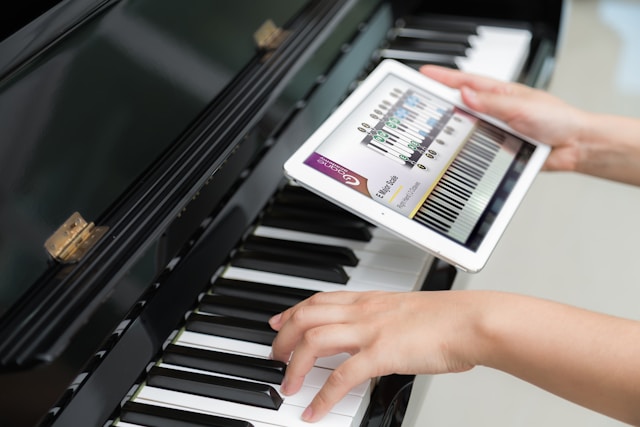
One of the most significant advantages MuseFlow has its personalized learning experience. The software uses advanced AI technology to tailor each lesson to your specific skill level and also to your specific learning pace. This means that the app always adapts. It adapts to your progress, making sure that you're always challenged but never overwhelmed. This keeps you learning fast while having fun.
Why it matters? Personalized learning methods keep you engaged & motivated. This makes the learning process more efficient but also a lot more enjoyable than ever before. Instead of just following a rigid (and often boring) curriculum, with MuseFlow you learn at your own pace, while focusing on areas that need improvement, reinforcing your strengths.
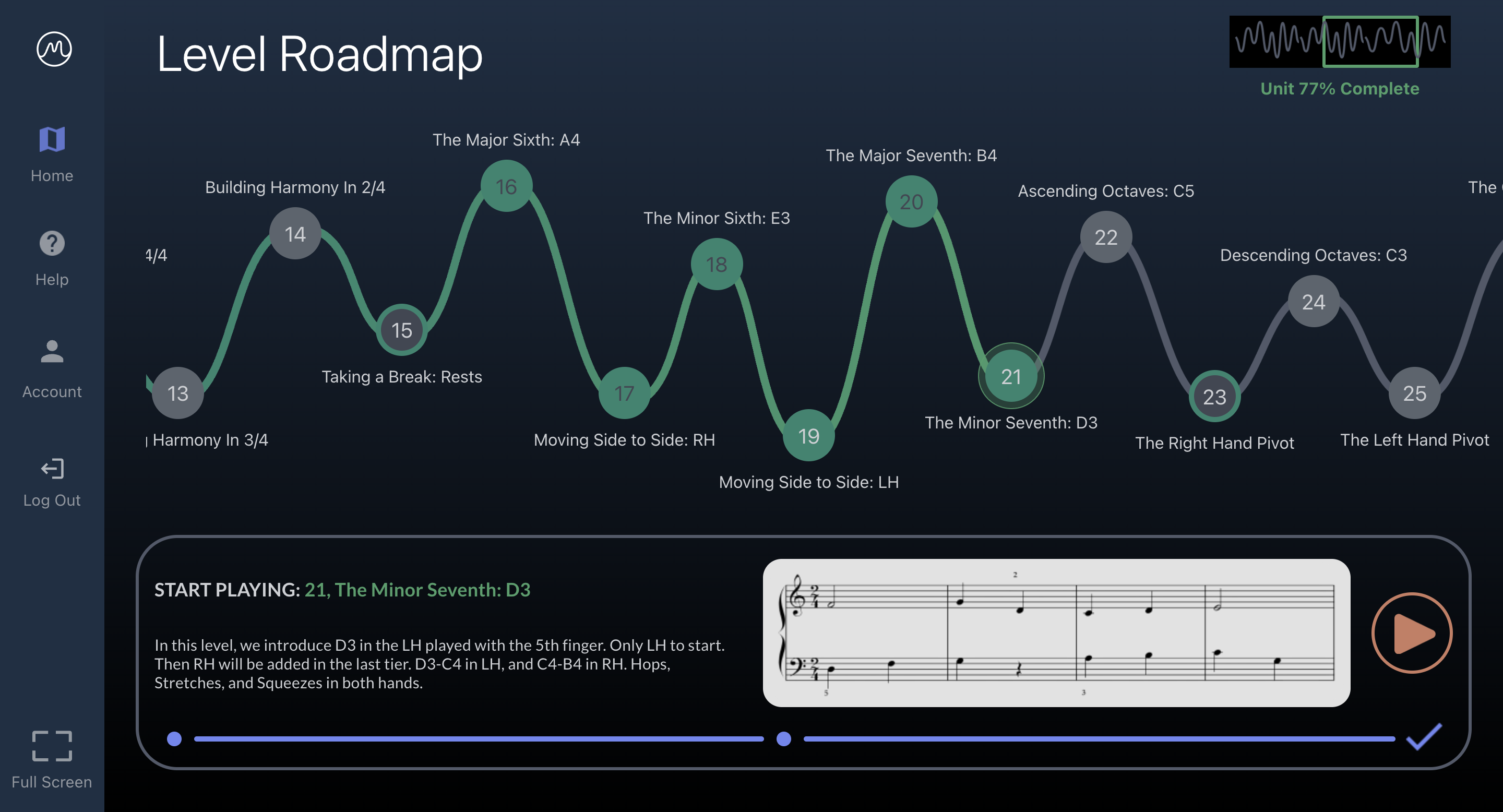
The piano teaching app provides real-time feedback on your playing. This is something that many Simply Piano competitors lack. As you practice, the app listens to your performance and offers instant corrections. Those corrections and improvements are on the unique notes, timing, and techniques. This immediate feedback is obviously very important for developing the correct playing habits. This will help you really make sure that mistakes are corrected on the spot. This instant feedback loop will help you get better at a faster rate than ever before.
Why it matters? Real-time feedback helps you progress faster and with greater accuracy. It’s really like having a personal tutor, that is available 24/7! One that guides you through each practice session. This feature is especially beneficial for beginners who need constant guidance to develop their skills correctly.
While Simply Piano has some old-school gamification elements, MuseFlow takes it to the next level! The app incorporates fun progress bars, achievement badges, and interactive challenges that make learning piano feel like playing a game. This new gamified approach keeps you motivated and makes practice sessions more enjoyable. You have probably seen it on other apps that keep you engaged, but instead of scrolling an app for no real reason, it's of course better to use it for learning a new skill.
Why it matters? Staying motivated is one of the biggest challenges when learning an instrument. If you've tried learning any instrument, you will completely understand. By making the learning process fun & rewarding, MuseFlow helps you want to stay committed to your practice routine. This helps you achieve your musical goals a lot faster than what was possible before. With our free trial for 7 days, it's like having simply piano free. You will only pay if you like and use the app, you won't get locked in!
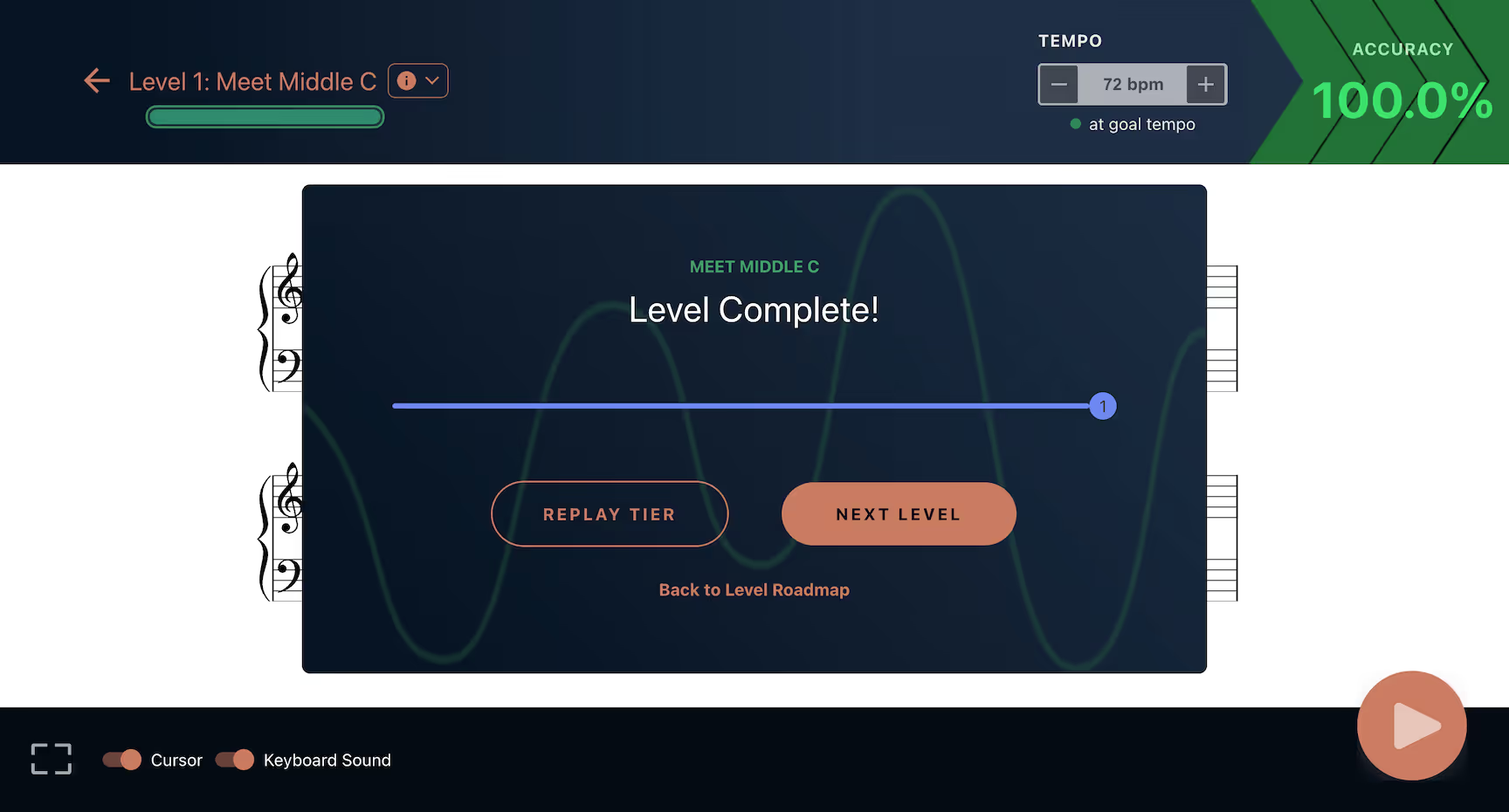
MuseFlow offers a thorough educational framework. One that covers all aspects of piano learning, from basic techniques to advanced music theory. The app’s extensive course structure give you well-rounded skill set... making you a more versatile and confident pianist.
Why it matters? You will now have a solid foundation for your musical journey. Whether you’re a complete beginner or looking to refine your skills, MuseFlow’s complete course structure makes sure that you have access to all the resources you need to succeed. You will never get bored!
The piano lessons app was developed by professional musicians and educators. Those who understand the challenges of learning piano. Some of the founders started as self-taught pianists themselves, which gives them a unique perspective on the needs of learners. Their expertise is strongly reflected in the app’s user-friendly design and thoughtful features. We can assure you that you'll really enjoy taking your Midi piano lessons, more than any other lessons, we promise you that!
Why it matters? Learning from an app designed by experts means you’re getting high-quality instruction that addresses the most important challenges & frustrations. This unique design, with you as the user in mind as the #1 priority, ensures that you’re learning effectively and efficiently -- helping you progress faster.
When it comes to finding the best Simply Piano alternative, MuseFlow is your best choice! That's for many reasons, such as its personalized learning experience, real-time feedback, gamified approach, comprehensive curriculum, and expert design. These features make MuseFlow the better choice for anyone serious about learning piano. The app has a free trial, so you can try it before having to pay anything.
While Simply Piano is an option, MuseFlow offers a more tailored and engaging learning experience that can help you achieve your musical goals faster, while bringing more joy into your life.
Respect to anyone who is learning piano by themselves. It requires a lot of discipline and patience. It's an exciting, but definitely also a challenging, journey. As a self-taught pianist, it’s important to find the right resources and tools to guide you. It will make all the difference. So, what is the best app for self-taught pianists? It’s a new innovative app called MuseFlow. This app has been designed to make piano learning accessible, engaging, and more effective for everyone! Below are 5 quick reasons why this AI software is the best app for self-taught pianists.
Use MuseFlow today! It's Free.
It’s 2026 so MuseFlow is using the best Artificial Intelligence (AI) tools to personalize your learning experience. Traditional old methods often follow a one-size-fits-all approach. These can be frustrating for self-taught learners who progress at their own pace. The California tech company strategically uses AI to assess your unique skill level. It then adapts lessons to suit your needs. That means you are always challenged but never overwhelmed.
The AI tracks your progress and provides feedback in real-time. This helps you correct mistakes immediately and develop better techniques from the start. The earlier bad habits are caught, the better for you. This personalized approach not only makes learning more efficient but also more enjoyable for you... You can learn at your own pace & focus on areas that need improvement. Who doesn’t want a fun but productive learning session?
One of the biggest challenges for self-taught pianists is the lack of immediate feedback. You may have already gotten so far, but you can hit a wall when you don’t know where you should improve. Without a teacher or coach to guide you, it’s easy to develop bad habits as mentioned earlier. That can be hard to break later on. MuseFlow solves this problem by providing real-time feedback on your playing. As you practice, the app listens to your performance and then offers instant corrections on notes, timing, and technique.
Feedback is crucial for self-learners, it really helps you identify and fix mistakes right away. It’s like having a personal (friendly) tutor available 24/7. One that is guiding you through each practice session without getting annoyed or annoying... and by receiving feedback as you play, you can make adjustments in real-time. It’s genius, you have to try it to really see and experience it.
Learning piano should be fun, not a chore you don’t look forward to... The learning app for self taught pianists has many gamification elements that are added to the learning process to keep you highly motivated. With progress bars, achievement badges and screens, and interactive tutorials and challenges, each practice session feels like a game. This provides a modern and better learning experience. Gamified approaches make learning enjoyable and keeps you and others coming back for more fun, which means more learning.
Many self-taught pianists using MuseFlow have found that the app’s engaging features make it easier to stick with their practice routines; and we all know how hard it is to stick to routines! The feeling of achievement you get from earning badges & completing challenges can be so incredibly motivating… MuseFlow turns piano practice into an exciting adventure, which helps you stay committed to your learning goals.
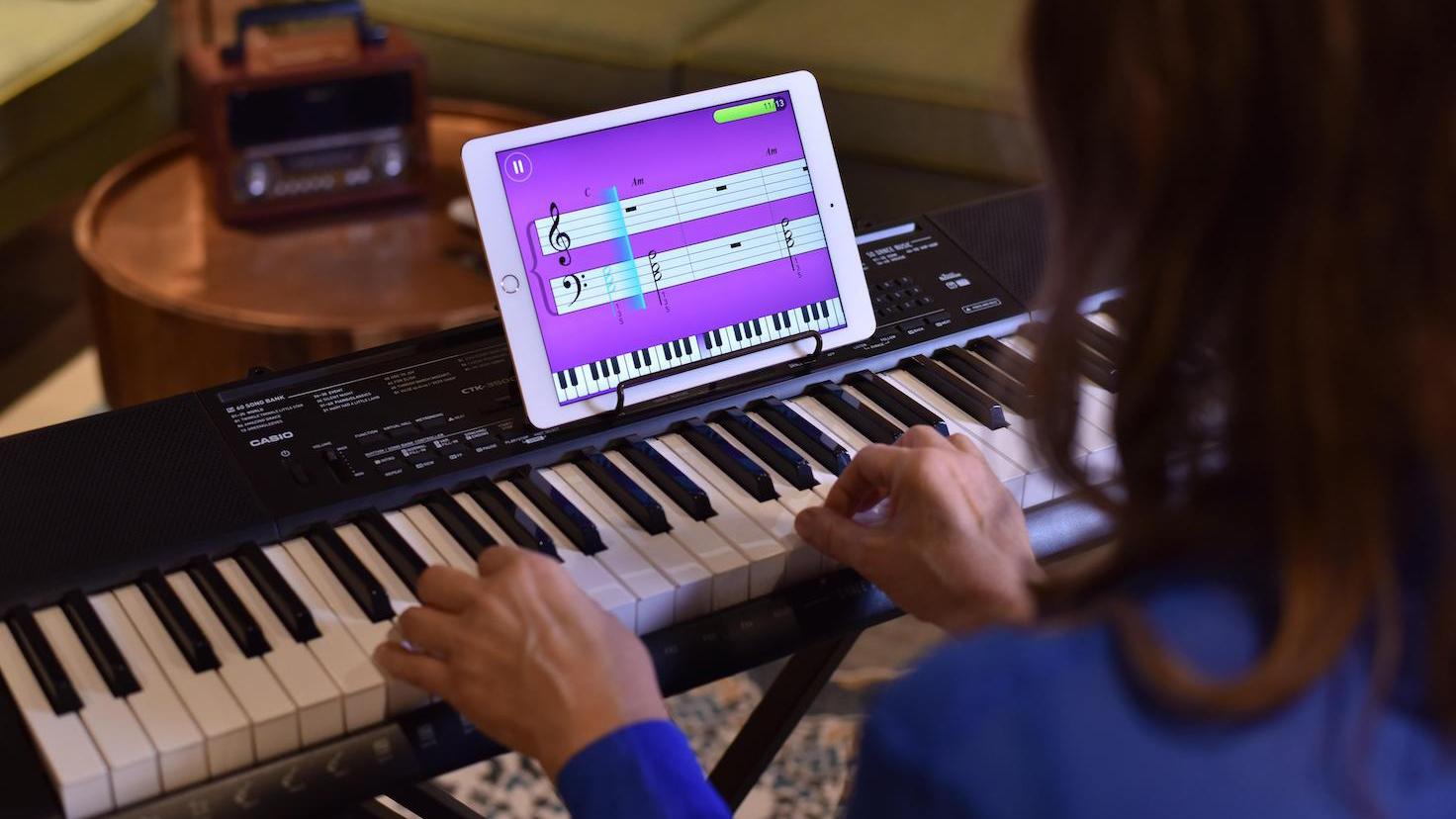
One of the most powerful aspects of MuseFlow is its ability to help you enter a state of "flow," where you are fully immersed and focused on your practice! This flow state is often described as a feeling of being "in the zone," where time seems to fly by in the best way possible. You are completely engaged in the task at hand and super focused. The software’s adaptive learning paths, real-time feedback, and interactive elements are all designed to facilitate this state.
Through the way the piano lessons app works, you will be challenged with tasks that are just at the right level of difficulty. The lessons keep your brain engaged and focused in the perfect state of learning. This deep concentration not only makes learning more enjoyable but also significantly enhances your ability to retain new information and develop skills more quickly. We have all been in those situations where we have been super focused and time just flies by. The flow state is a key factor in making your practice sessions more productive and rewarding.

One of the reasons MuseFlow is so popular is the expertise behind its development. Some of the founders started as self-taught pianists themselves. They understand the challenges and frustrations that come with learning on your own. This is why they’ve designed the app to address these challenging issues. Their firsthand experience and passion for music education are very evident in the app’s thoughtful features and user-friendly design!
Additionally, this midi piano lessons app has built a supportive community of learners. Many self-taught pianists are using the app and are increasing their learning curve at an unbelievable pace. This sense of community can be incredibly motivating and helpful, especially when you’re learning on your own. You can connect with other learners and share your progress with the team.
In conclusion, as you can see from the points above, MuseFlow is the best learning app for self-taught pianists. Its AI-driven personalized learning, real-time feedback, engaging new-school gamification features, flow state learning experience and the founders’ expertise make it an incredible tool for learning piano on your own. You will love this way of learning. Whether you’re just starting your musical journey or looking to improve your existing skills, the technology provides the support and resources you need to succeed!
Join the many other happy self-taught pianists who are discovering the joy of learning piano with MuseFlow.

Keep up to date on our progress as we continue to add new features!